Secure Remote Tax Prep Access: What CPA Firms Must Verify
A tax return was rejected during filing season.
The figures had been reviewed, but the offshore preparer was working in a different tax software version from the U.S. team. The firm lost several days identifying the mismatch, updating the file, and responding to concerned clients.
The incident exposed a broader problem. The firm had reviewed the provider’s general security documents but had not verified the environment used by the individual preparer.
Secure remote tax preparation depends on more than a certification or encrypted portal. CPA firms must verify who can enter the system, which software version they use, what information they can access, what actions they can take, and whether every activity can be traced to one person.
Key Takeaway
Before granting an offshore tax team access, a CPA firm should verify unique user identities, multifactor authentication, software version alignment, restricted remote workspaces, client-level permissions, encrypted data transmission, individual audit logs, and immediate offboarding controls. Security should be tested through the actual tax preparation workflow rather than accepted through policies, badges, or verbal assurances.
Start With the Firm’s Own Security Plan
The IRS Publication 4557 currently available on the IRS website is revised May 2024. It states that tax professionals should maintain a security plan, use multifactor authentication, encrypt sensitive information, limit taxpayer-data access to people who need it, and implement audit logs recording who performed an activity, when it occurred, and what changed.
The FTC Safeguards Rule also covers tax preparation firms and requires covered firms to maintain a written information security program appropriate to their operations and the sensitivity of the information handled.
Before reviewing a vendor, the firm should have a named security owner, an inventory of the systems used for tax preparation, and written requirements for remote access.
The firm cannot properly evaluate a provider until it defines its own acceptable controls.
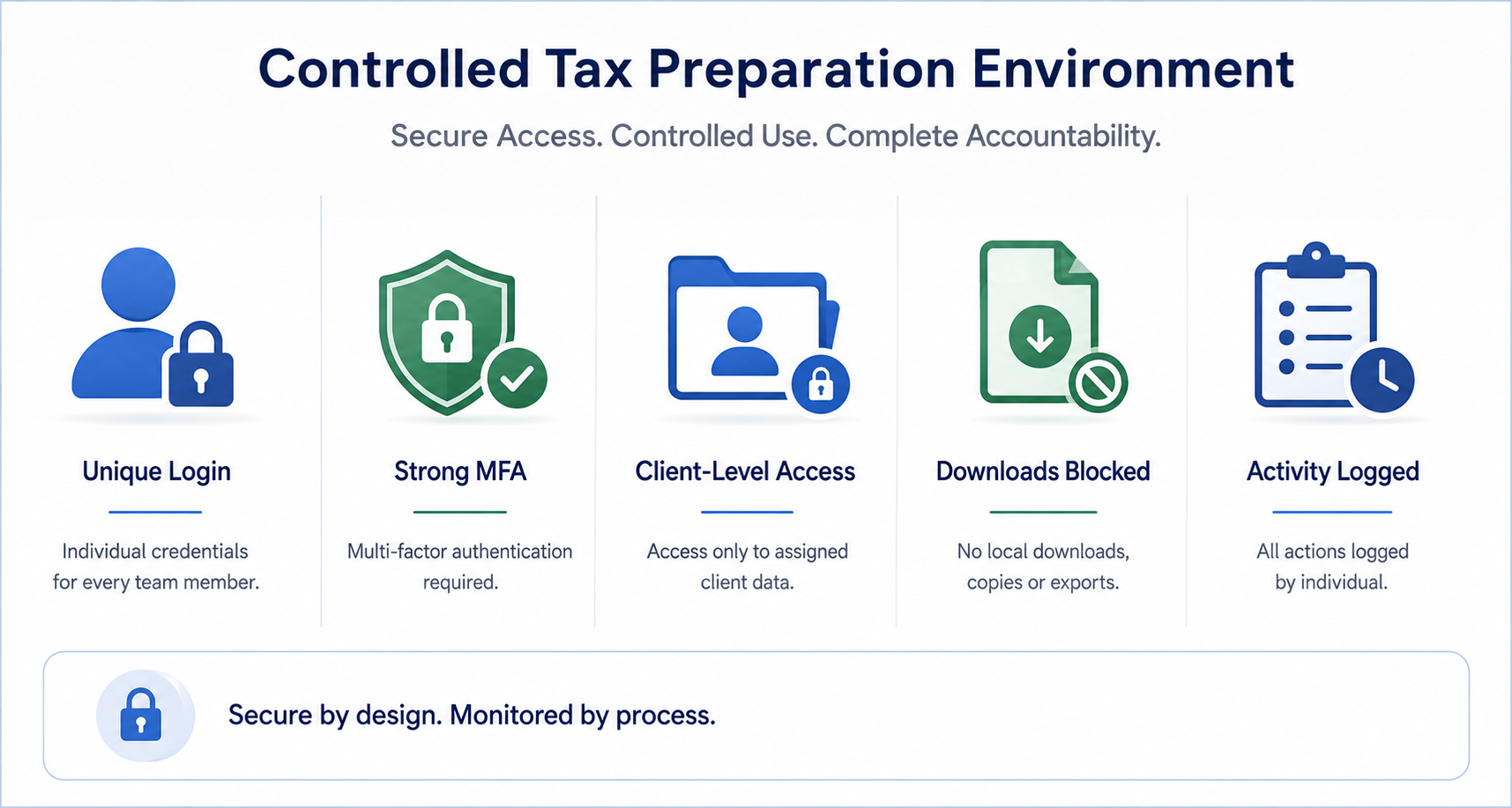
Give Every Preparer a Unique Identity
Every offshore preparer should have an individual account connected to their name, role, and assigned clients.
Shared accounts such as “taxteam1” or “preparer@vendor.com” weaken accountability. They also make it difficult to determine who opened a return, changed a figure, or exported a document.
Request a list of assigned team members and compare it with the active accounts in the tax software, portal, and remote-access environment.
The numbers should match. Every assigned person should have:
- A unique user account
- A defined role
- Approved client access
- An active authentication method
- A documented access owner
IRS Publication 4557 advises against shared passwords and recommends unique credentials for everyone accessing taxpayer accounts.
Strengthen MFA Beyond a Checkbox
The FTC Safeguards Rule requires multifactor authentication for people accessing customer information, unless the Qualified Individual approves an equivalent control in writing.
However, the firm should also examine how MFA works.
NIST’s updated digital identity guidance, published in 2025, requires phishing-resistant options at higher assurance levels and notes that text-message and voice-based authentication over the public telephone network is restricted.
Where the software permits it, firms should prefer stronger options such as authenticator applications, hardware security keys, or passkeys over SMS alone.
Run an actual login test for an offshore user. Confirm that the second factor belongs to that individual and is not delivered to a shared phone, email address, or team administrator.
Use a Controlled Remote Workspace
Virtual desktop infrastructure can provide a strong control, but VDI is not the only possible secure model.
The important requirement is that taxpayer information remains inside a controlled environment where local downloads, personal email, printing, removable devices, and unapproved copying are restricted according to the firm’s risk assessment.
Ask the provider to demonstrate the actual workspace used by the assigned tax preparer.
Test whether the user can:
- Download a client document locally
- Copy information outside the remote session
- Send attachments through personal email
- Access local storage or removable devices
- Open clients outside the assigned scope
A policy saying “no local storage” is not enough. The system should enforce the policy.
SafeBooks Global’s guide to offshore accounting data security explains how firms can evaluate remote access, permissions, and activity controls.
Lock the Tax Software Version Before Work Begins
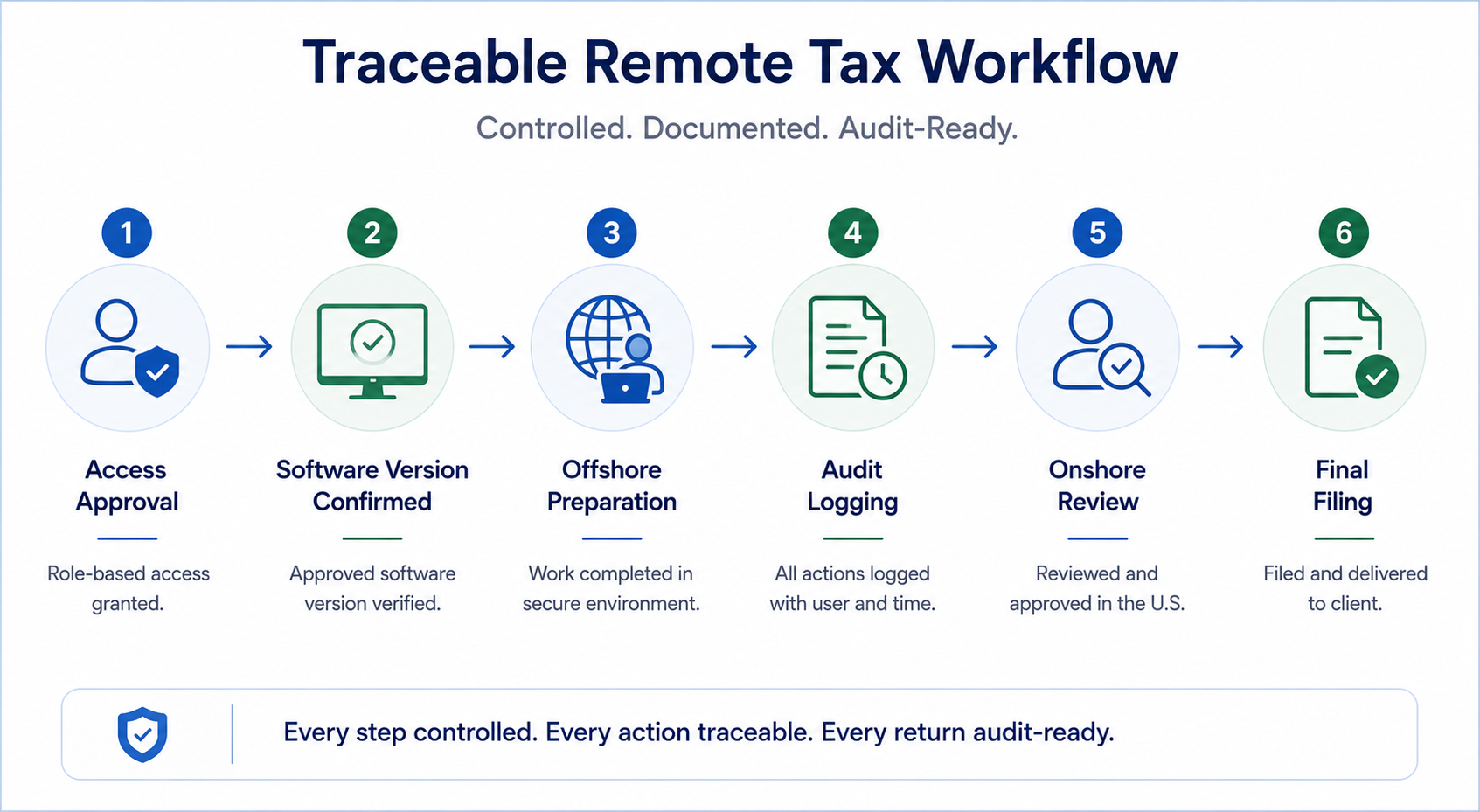
Tax software should be managed as part of the remote-access process.
The firm should define the approved tax year, application version, update level, state modules, templates, and integration settings before assigning returns.
A simple version-control checklist should appear at the beginning of each filing workflow. The offshore team should confirm the approved build before opening or transferring a live return.
Version alignment reduces the risk of incompatible files, outdated forms, missing state updates, or inconsistent calculations between the offshore preparer and onshore reviewer.
The IRS also recommends maintaining an inventory of software used to process or transmit tax data and keeping security software updated automatically.
A documented remote accounting workflow can connect software confirmation with task assignment, preparation, and review.
Apply Client-Level Least Privilege
A preparer should see only the clients and systems required for assigned work.
A junior professional preparing individual returns should not automatically receive access to every business return, payroll file, or firmwide document library.
The FTC Safeguards Rule requires covered firms to implement and periodically review access controls based on a legitimate business need.
Test one assigned account before live work begins. Attempt to open an unassigned client folder. If access succeeds, correct the permissions before sharing taxpayer information.
Access should also be reviewed when workloads change. Temporary access granted during busy season should not remain active indefinitely.
Verify Encryption Without Using the Wrong Test
The FTC requires covered firms to encrypt customer information both on their systems and while it is in transit, unless an effective alternative control is approved by the Qualified Individual.
Ask the provider for architecture documents, configuration evidence, and an explanation of how data is protected during remote sessions, file transfers, storage, and backup.
A file-hash test can confirm whether a file changed during transfer. It does not prove that the transfer was encrypted.
Encryption should be verified through system configuration, protocol inspection, independent testing, or evidence reviewed by a qualified IT or security professional.
Make Audit Logs Usable
Audit trails should identify the person, timestamp, client record, action performed, and change made.
Entries such as “unknown user,” “admin,” or a shared team account reduce the value of the log.
Review a sample of recent activity before launching the engagement. Confirm that the records correspond to the assigned users and that the logs are retained according to the firm’s security and legal requirements.
The firm should also monitor weekly EFIN and PTIN filing totals for unexpected activity, as recommended by the IRS.
Expert Insight
“Secure tax preparation requires identity-level accountability. A CPA firm should be able to connect every return to one assigned preparer, one approved software environment, one access path, and one complete activity record.“
Anshul Agrawal,
Accounts Director, CA, SafeBooks Global
Test Offboarding Before You Need It
Ask what happens when an offshore employee leaves, changes accounts, or completes seasonal work.
IRS Publication 4557 recommends immediately deactivating usernames and passwords for terminated employees.
The contract should define a risk-appropriate access-removal deadline, notification responsibilities, open-work handoff, credential deactivation, and evidence of completion.
Do not accept an informal statement that “HR handles it.” Request a sample offboarding record or test the procedure using a temporary account.
Select a Provider That Can Demonstrate the Workflow
The FTC requires covered firms to select service providers capable of protecting customer information, include security expectations in contracts, monitor provider performance, and periodically reassess suitability.
SafeBooks Global helps U.S. CPA firms establish process-led tax preparation support through controlled access, defined user roles, documented workflows, clear handoffs, and review-ready delivery.
The objective is not simply to add remote preparers. It is to create a tax production system that the CPA firm can verify and control.
Review the questions to ask before hiring a remote accounting team and the offshore partner evaluation guide.
Explore SafeBooks Global’s offshore accounting support for U.S. firms or schedule a discovery call to discuss your tax software, access controls, and review process.