
I once asked a managing partner a simple question: where does a particular client’s tax return stand right now?
It took her four places to find the answer.
A shared spreadsheet held the deadline. Her email contained the client’s missing-document conversation. A server folder held the workpapers. A message to the preparer confirmed whether the return had actually been started.
Four tools, one answer, and this was a firm that considered itself organized.
That is the quiet cost many firms have stopped noticing. The work may be correct, but coordination is scattered across disconnected systems. The spaces between those systems are where deadlines slip and hours disappear.
Accounting practice management software brings workflow, documents, deadlines, billing, and client communication into a more controlled system.
There is no universal best platform. The right choice depends on your firm’s size, service mix, existing software, and willingness to manage implementation.
What Is Accounting Practice Management Software?
Accounting practice management software is a platform that helps CPA, tax, and bookkeeping firms run their operations, including client workflows, deadlines, document collection, billing, and communication, from one system, and it is distinct from accounting software like QuickBooks or Xero, which manages client financial records.
Practice management software can include:
- Workflow automation
- Recurring-task management
- Client relationship management
- Client portals
- Document collection
- Staff assignments
- Time tracking and billing
- Capacity planning
- Email integration
- Reporting and AI features
The distinction matters. Practice management software runs the firm. QuickBooks and Xero run the client’s books.
What Should a CPA Firm Look for in Practice Management Software?
Start with the way your firm works, not the longest feature list.
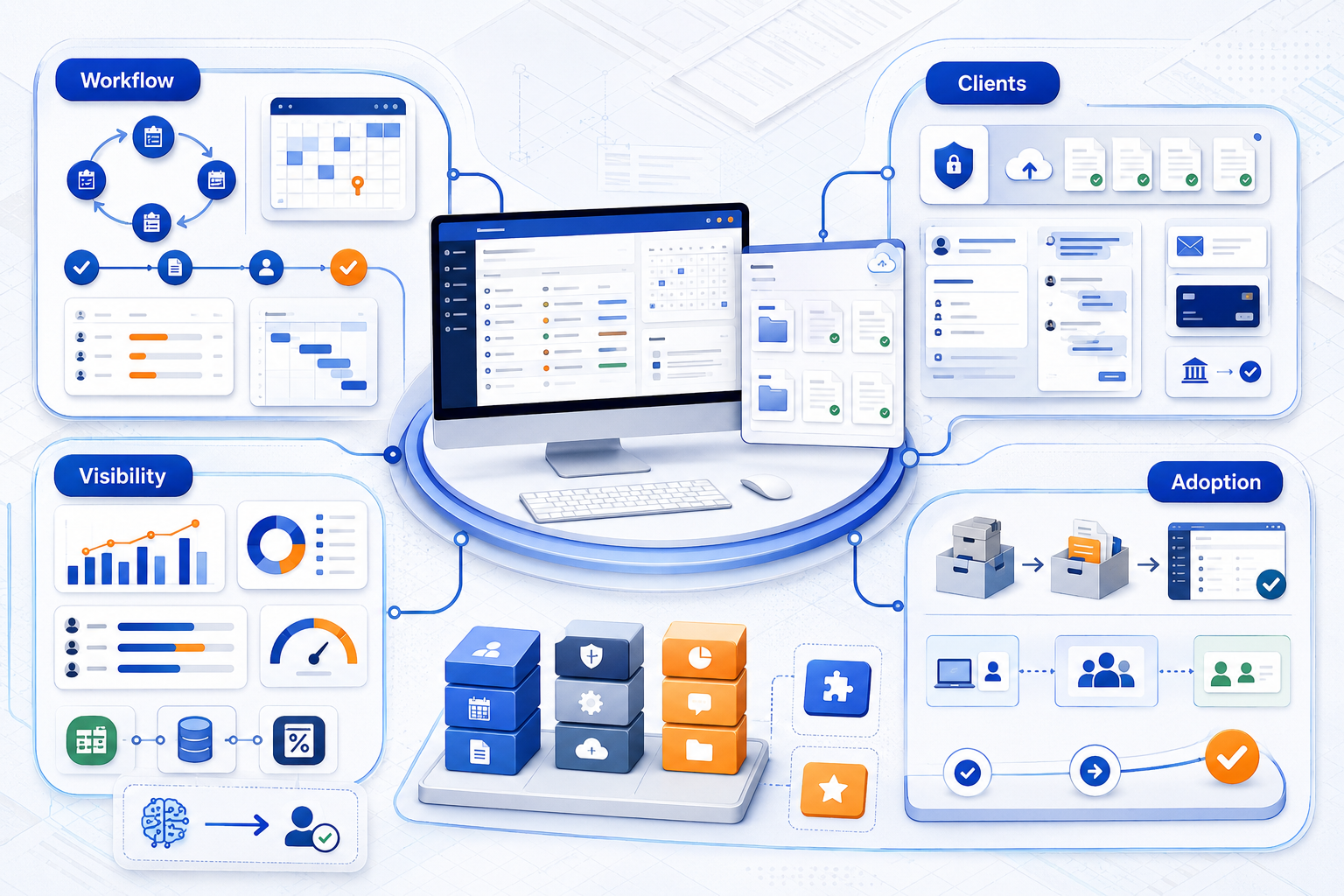
Evaluate:
- Recurring workflow and deadline tracking
- Client portal and document collection
- CRM and communication history
- Time, billing, and payment functions
- Integrations with accounting and tax software
- Staff capacity and performance visibility
- AI features with a clear practical use
- Per-user, modular, and add-on costs
- Migration and onboarding requirements
- Ease of adoption for staff and clients
The best platform is the one your team will consistently use. A powerful system with poor adoption becomes another expensive place to search for information.
What Are the 10 Best Practice Management Software Platforms for CPA Firms?
The leading platforms for US CPA, tax, and bookkeeping firms in 2026 include TaxDome, Canopy, Karbon, Financial Cents, Jetpack Workflow, Client Hub, Uku, Firm360, Aero Workflow, and Mango Practice Management.
Pricing information below reflects publicly listed details available in August 2026. Plans and features change, so firms should confirm current information before purchasing.
Platform | Best for | Standout strength | Type | Pricing model |
Solo, small, and tax-focused firms | CRM, workflow, portal, documents, and billing | All-in-one | Annual per-seat plans | |
Growing tax and accounting firms | Modular features, automation, and AI | All-in-one and modular | Per-user plans with paid modules | |
Collaboration-heavy teams | Integrated email and team workflow | All-in-one | Per-user monthly or annual pricing | |
Small accounting firms | Simple workflow and client-task management | Focused platform | Solo and per-user plans | |
Firms prioritizing deadlines | Job and recurring-work tracking | Focused platform | Per-user monthly or annual pricing | |
Bookkeeping and CAS firms | Client portal with QBO and Xero workflows | Specialized platform | Per-user and integration-based tiers | |
Firms combining workflow, time, and billing | Recurring work and automated billing | All-in-one | Tiered monthly plans | |
Small and mid-sized firms | Documents, workflow, billing, and client management | All-in-one | Tiered plans with annual billing | |
Procedure-driven bookkeeping and CAS firms | Process and task discipline | Focused platform | Firm-size subscription plans | |
Firms focused on time and billing | Time, billing, payments, and administration | Focused platform | Vendor-provided pricing |
1. TaxDome
TaxDome combines workflow automation, CRM, document management, client portals, communication, proposals, billing, and payments.
Its tax organizers, document requests, tax-software integrations, and IRS transcript features also make it a strong tax practice management software option.
Watch-out: Its breadth creates a larger setup and learning requirement. Firms should plan workflows carefully instead of activating every feature at once.
2. Canopy
Canopy combines practice management, workflow, client portals, document management, billing, AI tools, and tax-resolution features. Its modular structure allows firms to select the functions they need.
Watch-out: Costs can increase as users and modules are added. Compare the complete configuration rather than the entry price.
3. Karbon
Karbon is built around collaboration, integrated email, workflow management, time tracking, billing, and visibility across client work.
Watch-out: Per-user pricing can become significant as the team expands. Calculate the cost for every employee who requires access.
4. Financial Cents
Financial Cents focuses on workflow, recurring work, client tasks, document requests, team visibility, and integrations. Its cleaner interface can make adoption easier for smaller firms.
Watch-out: Firms needing deeper CRM, document management, or enterprise controls should confirm whether its available features are sufficient.
5. Jetpack Workflow
Jetpack Workflow focuses on jobs, recurring tasks, deadlines, templates, capacity, and progress visibility. Its narrower scope can make implementation faster.
Watch-out: It is not a complete CRM, billing, and client-portal suite. Firms may need to retain other tools.
6. Client Hub
Client Hub is designed for bookkeeping and CAS firms. It combines workflow, client tasks, secure communication, file sharing, and QuickBooks and Xero integrations.
Watch-out: Its bookkeeping focus may be less suitable for firms dominated by tax preparation or audit engagements.
7. Uku
Uku combines recurring workflow, time tracking, client management, team planning, and billing. It can suit firms looking for one source of truth across operations and billing.
Watch-out: Uku has a smaller US presence than several larger platforms. Confirm integrations, support availability, and fit with US workflows.
8. Firm360
Firm360 provides client management, document management, secure portals, time tracking, billing, payments, project management, and reporting.
Watch-out: Some plans have user minimums, while advanced functions sit in higher tiers. Calculate the cost using the plan your firm actually needs.
9. Aero Workflow
Aero Workflow is designed around accounting procedures, recurring tasks, checklists, and process consistency. It can work well for bookkeeping and CAS firms with documented procedures.
Watch-out: It is workflow-first rather than a complete CRM, billing, and client-experience platform.
10. Mango Practice Management
Mango Practice Management focuses on time tracking, billing, payments, document management, portals, and practice administration.
Watch-out: Firms seeking deeper workflow automation and broader CRM functions should test those areas before selecting it.
For very large firms, enterprise platforms such as IRIS Practice Management, Aiwyn Practice, and CCH Axcess Practice may also enter the comparison. These systems sit outside the small-to-mid-sized focus of this list and generally require more involved implementation.
All-in-One or Focused Software: Which Is Better?
Choose an all-in-one platform when the goal is to consolidate workflow, documents, billing, CRM, and client communication under one login.
Choose a focused platform when the firm mainly needs stronger task and deadline control and is comfortable retaining separate tools for billing, documents, or communication.
All-in-one platform | Focused platform |
Consolidates more functions | Usually faster to implement |
Reduces separate logins | Can have a simpler interface |
Requires more configuration | Retains other connected tools |
Creates higher switching effort | Creates more integration points |
Best when consolidation is the goal | Best when workflow is the main problem |
TaxDome, Canopy, Karbon, and Firm360 lean toward all-in-one practice management. Financial Cents, Jetpack Workflow, and Aero Workflow offer a more focused starting point.
Neither approach is automatically better. The right choice depends on what the firm wants to replace and what it is willing to keep.
How Much Does Practice Management Software Cost in 2026?
Most platforms use per-user monthly pricing, often discounted when billed annually. Others use modular pricing, tiered feature plans, user minimums, or paid integrations.
Public entry pricing in August 2026 ranged from lower-cost solo plans to premium subscriptions exceeding $100 per user per month. Larger firms may receive custom pricing.
Include these costs when comparing platforms:
- Every staff member who needs access
- Required modules
- Client portal features
- Accounting and tax integrations
- E-signatures
- Data migration
- Onboarding and training
- AI and automation add-ons
- Seasonal staff access
The lowest published price may not represent the configuration your firm needs.
Does Practice Management Software Replace Accounting Staff?
No. Practice management software organizes the work, but it does not do the work.
It can assign a reconciliation, track its deadline, store the documents, and show whether it has been reviewed. It does not complete the reconciliation or make the accounting judgment.
Many firms buy software expecting more capacity and discover that they purchased better coordination. That is valuable, but it solves a different problem.
Whatever platform a firm selects, it still needs people to prepare returns, reconcile accounts, close books, and resolve review notes.
If better coordination reveals that staffing capacity is still the constraint, compare the best back-office outsourcing companies for accounting firms before deciding how to expand support.
SafeBooks provides practice management support for CPA firms through professionals who work within the firm’s chosen platform to coordinate workflows, deadlines, client requests, billing records, and daily operations.
Choose the Platform Your Team Will Use
The best accounting practice management software is not the platform with the longest feature list. It is the one that fits how the firm works and that staff and clients will consistently use.
Match the system to your firm size and service mix. Decide whether you want one platform or several focused tools. Calculate the complete cost. Then test the shortlisted software using a real workflow before committing.
The software should make work easier to find, assign, complete, and review. It should not become one more place your team has to search.